
FHIR implementation guide of AP-HP FormBuilder
1.0.0 - ci-build

FHIR implementation guide of AP-HP FormBuilder
1.0.0 - ci-build
FHIR implementation guide of AP-HP FormBuilder - Local Development build (v1.0.0) built by the FHIR (HL7® FHIR® Standard) Build Tools. See the Directory of published versions
The terminological module is a FormBuilder integrated feature that allows:
This feature look like a wizard with 4 or 5 steps:

At this step, the user choose:
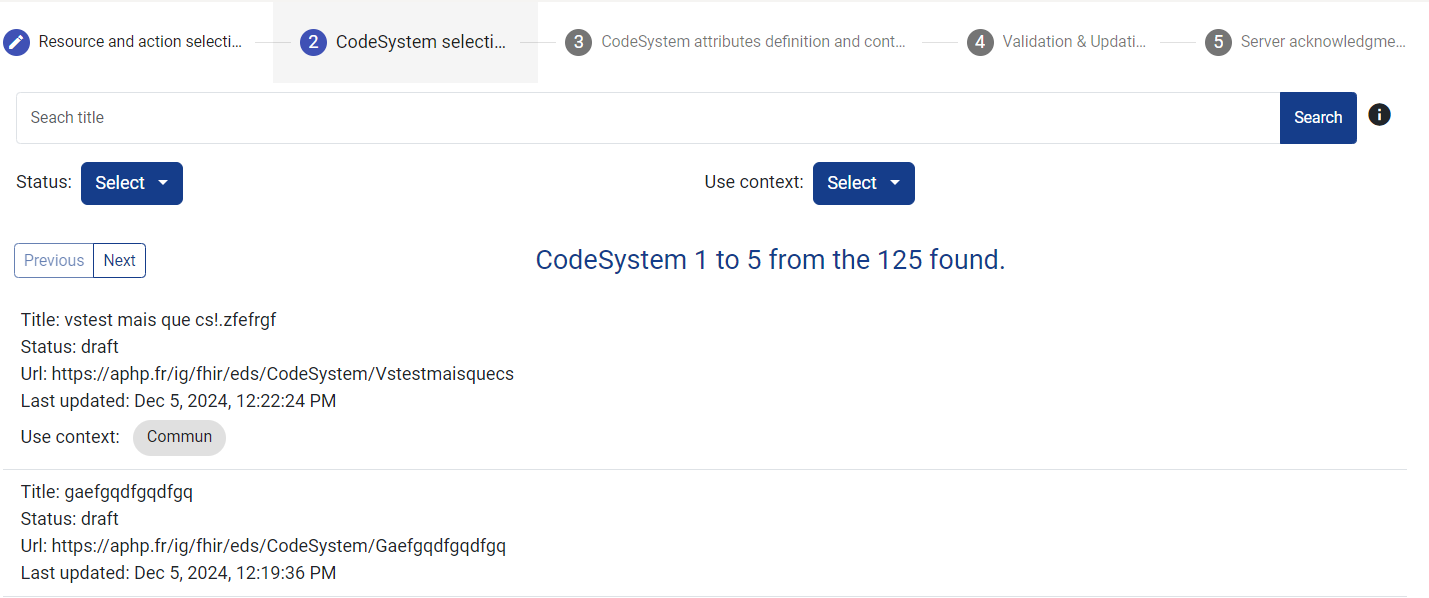
Only in case of update, this interface allow the user to search and select the CodeSystem he wants to update.
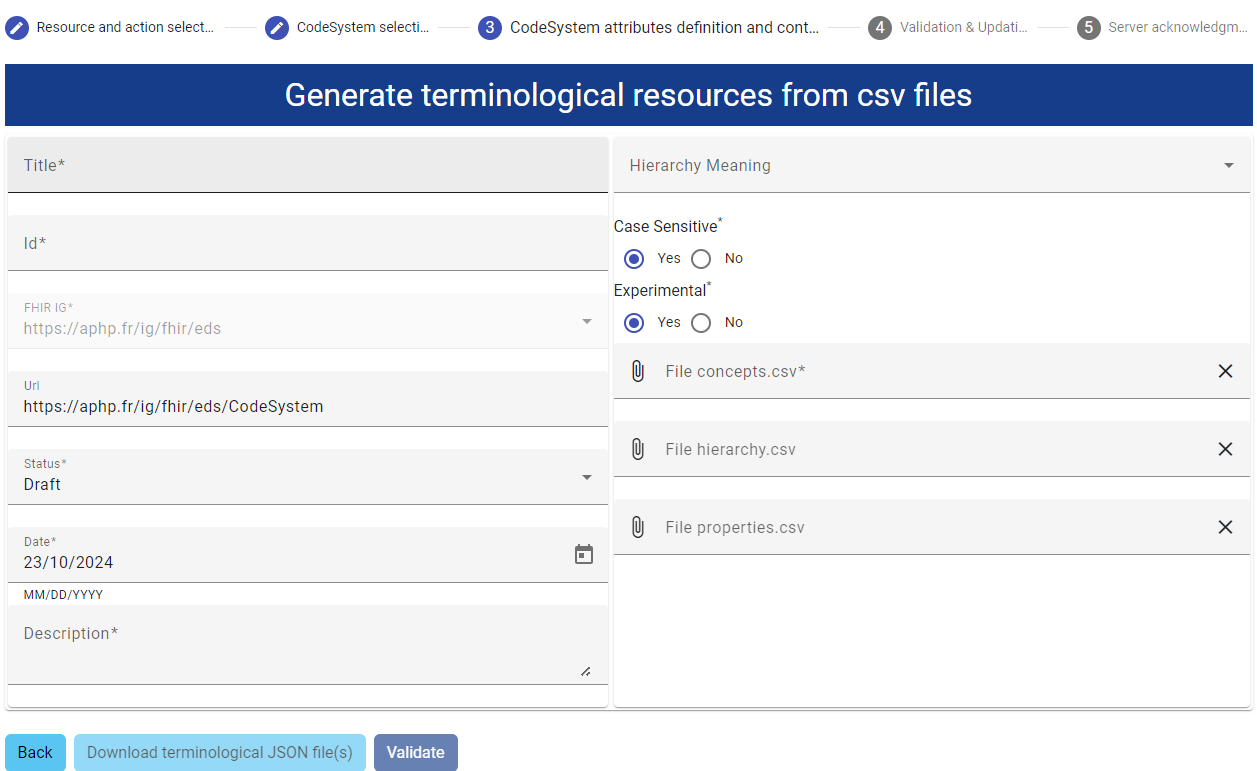
The fields correspond to properties described in FHIR official documentation, with the following specificity:
In case of update, the fields are already filled (depending on the resource to update). Some value cannot be change:
It is possible to export JSON file at this step (e.g. for preview reason)
The fields 'File concepts.csv', 'File hierarchy.csv' and 'File properties.csv' await csv files following the below described format:
It is the only mandatory file. It declares all the concepts of the CodeSystem.
It contains two columns, separated by ,.
the header is:
code,display
The code column contains the concept.code. It must respect FHIR code format.In case of ValueSet generation, root concept code SHALL also respect this regular expression: [A-Z]([A-Za-z0-9]){0,63}, namely:
The display column contains concept.display. It must respect the FHIR string format
Empty code or display are not allowed.
This file declares the hierarchy between concepts. This hierarchy will be modelized as nested concept in the CodeSystem (not with a property).
This file is optionnal. Without a hierarchy.csv file, the concepts will be flat in the CodeSystem.
It contains two columns, separated by ,.
the header is:
parent,child
The parent column contains the parent code, as declared in the concept.csv
The child column contains the child code, as declared in the concept.csv
Empty parent or child are not allowed.
This file allow :
This file is optionnal. Without a properties.csv file, the concepts won't have any property.
It contains four columns, separated by ,.
the header is:
code,key,value,type
Each distinct key/type couple lead to the creation of a CodeSystem property with the coresponding CodeSystem property type.
The key should conform to FHIR code format.
The type should belong to the following list:
The four column are necessary for the instanciation of property at the concept level :
codecorresponds to a concept code as declared in the concepts.csv file. It identify the concept for which a property will be instanciated.key corresponds to concept.property.codetype defines the concept.property.value[x] datatypevalue corresponds au CodeSystem.concept.property.value[x]. Depending on the type, the format shall be:
Empty value are not allowed.
Choosing CodeSystem and ValueSets at step 1 lead to the creation/update of a ValueSet resource for each root concept in the CodeSystem. ValueSets are set up as follow:
ValueSet.status : content of the status field. If root concept are withdrawn, the status is retiredValueSet.immutable : falseValueSet.date : content of the date fieldValueSet.experimental : content of the experimental fieldValueSet.id : root concept codeValueSet.name : root concept codeValueSet.title : root concept displayValueSet.description : "ValueSet generated with AP-HP FormBuilder"ValueSet.url : [IG]/ValueSet/[ValueSet.id]ValueSet.useContext : content of the useContext fieldValueSet.compose : descendent-of root concept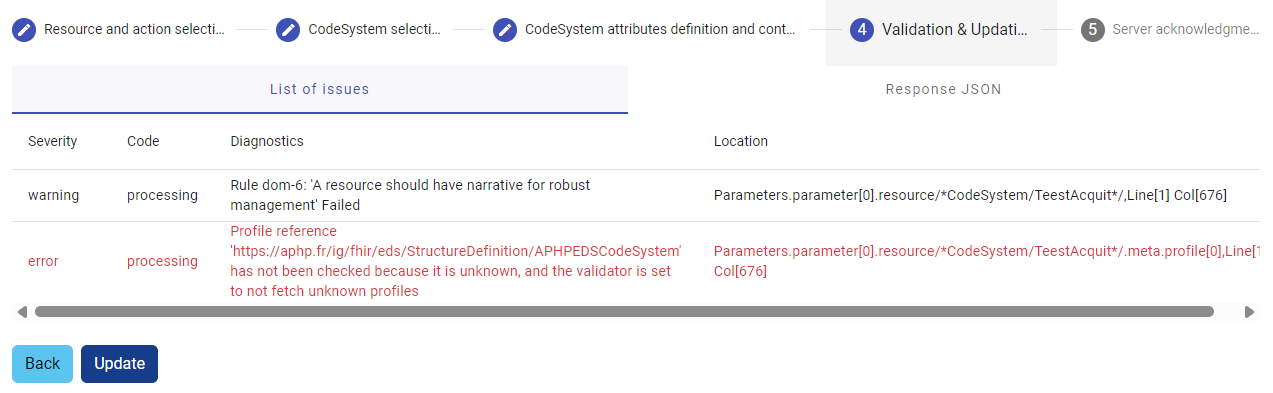
At this step, the wizard provide the $validation of the CodeSystem. The user should carefuly review the deviation from the norm.
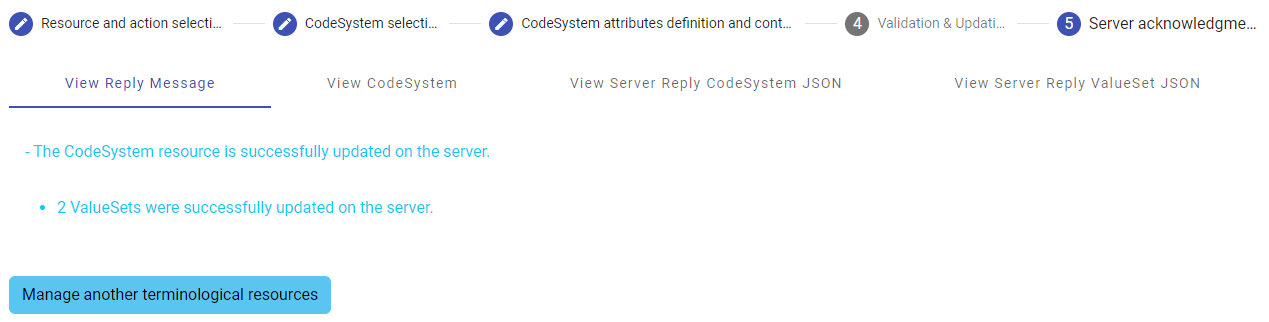
The results of the action performed are provided to the user.
A brief overview of the CodeSystem is provided in the "view CodeSystem" tab. The other tabs contains server acknowledgment messages.
IG © 2023+ AP-HP. Package aphp.fhir.fr.formbuilder#1.0.0 based on FHIR 4.0.1. Generated 2025-09-16
Links: Table of Contents |
QA Report
| 