
FHIR implementation guide of AP-HP FormBuilder
1.0.0 - ci-build

FHIR implementation guide of AP-HP FormBuilder
1.0.0 - ci-build
FHIR implementation guide of AP-HP FormBuilder - Local Development build (v1.0.0) built by the FHIR (HL7® FHIR® Standard) Build Tools. See the Directory of published versions
Here, you'll learn how to create and save your first Questionnaire using AP-HP FormBuilder.
Chromium-based browser are best supported.
The first page when connecting to the formBuilder allow:
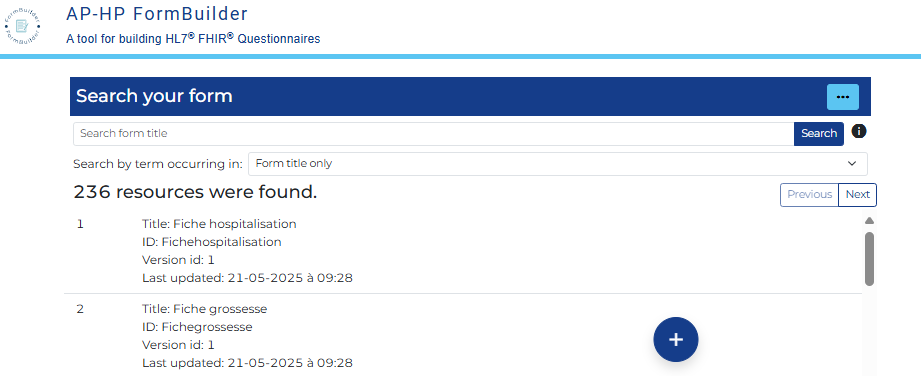
Click on the "+" button and provide a Title for your Questionnaire (an ID will be automatically created).
You arrive on the "Item" interface
Each item defines a question, a grouping element, or a label to be displayed in the form.
There is by default an "Item 0" in the Questions Tree (on the left). The only mandatory field to fill is the "Data type" field that permit the distinction between the 3 above-mentionned type of item, and, for the question type, the particular type of data to be captured.
For this first item, we will modify:
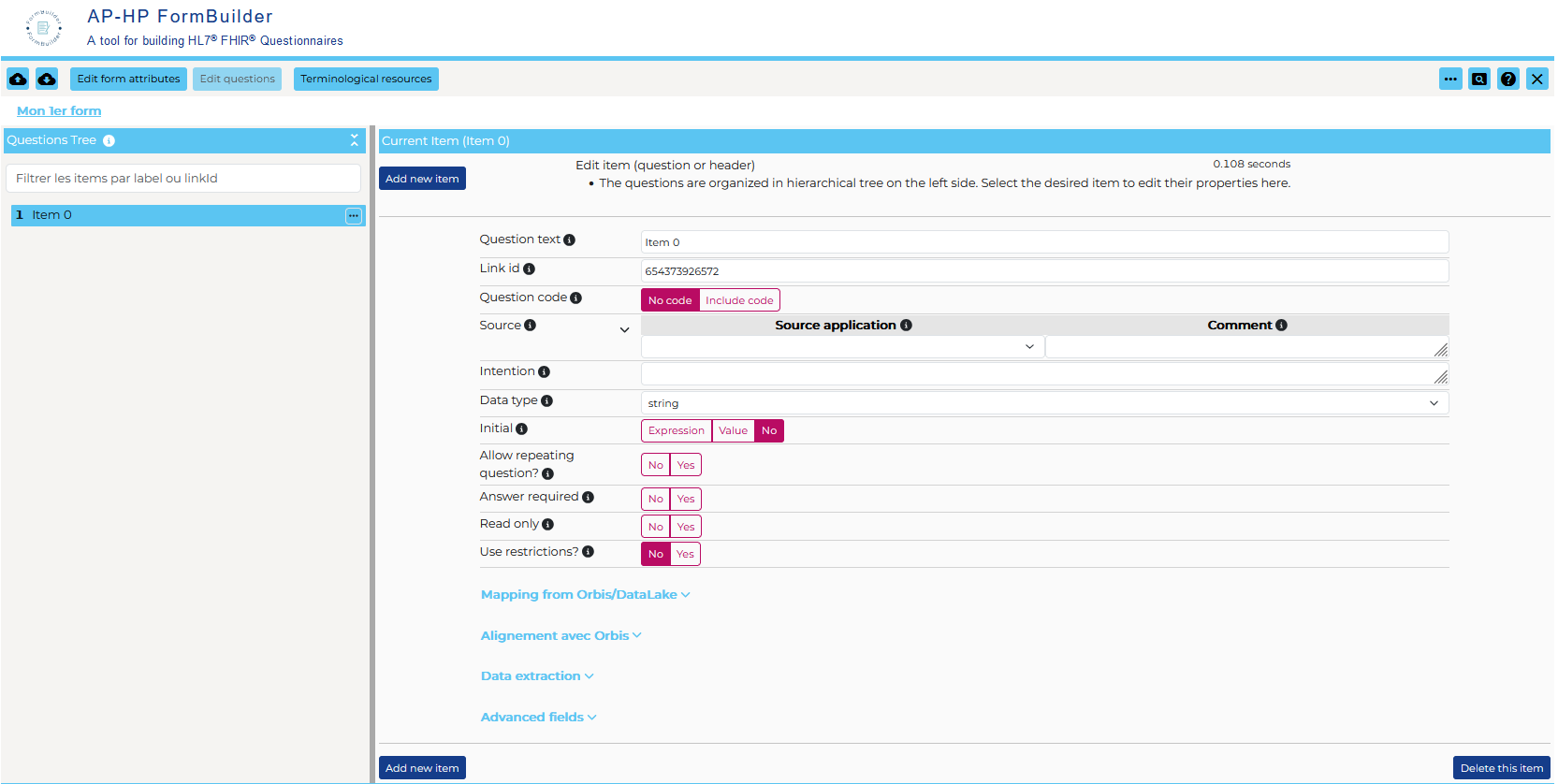
Clicking on the Add new item button at the top/bottom of the page will create a new item after the active one. We will set it up as follow:
Drag the '"Last name'item and drop it on the "Patient Id" item in the question tree.

By clicking on the button next to 'Last name' in the tree :
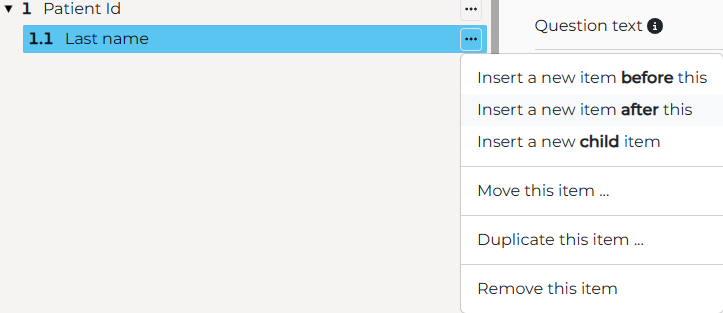
We can create the next item directly at the right place in the tree (after)
Clicking on the "Edit form attributes" button at the top of the screen will display some Questionnaire level information. The title is already filled and you may enrich:
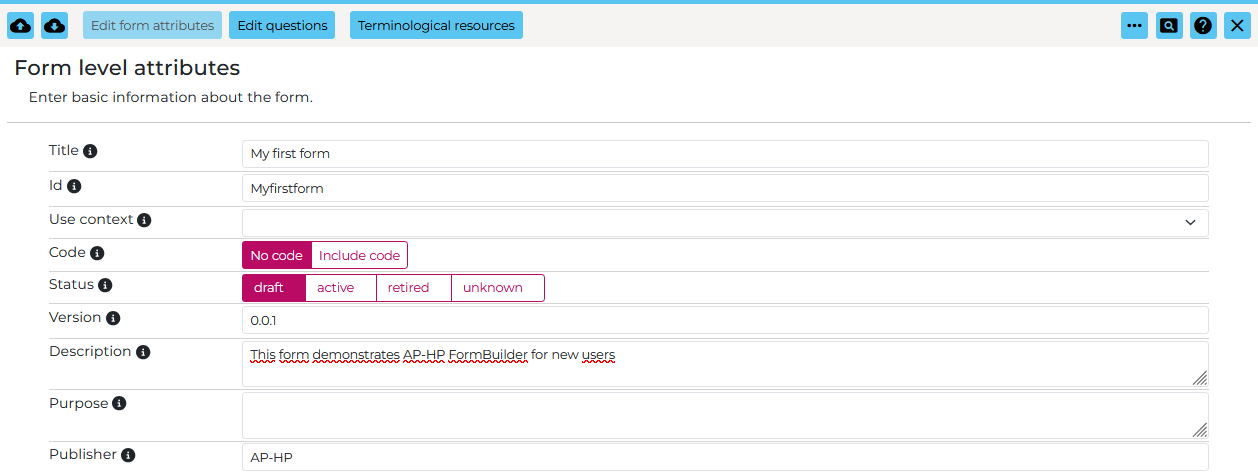
You can save your form on the FHIR server, via this button: (on the top left of the screen).
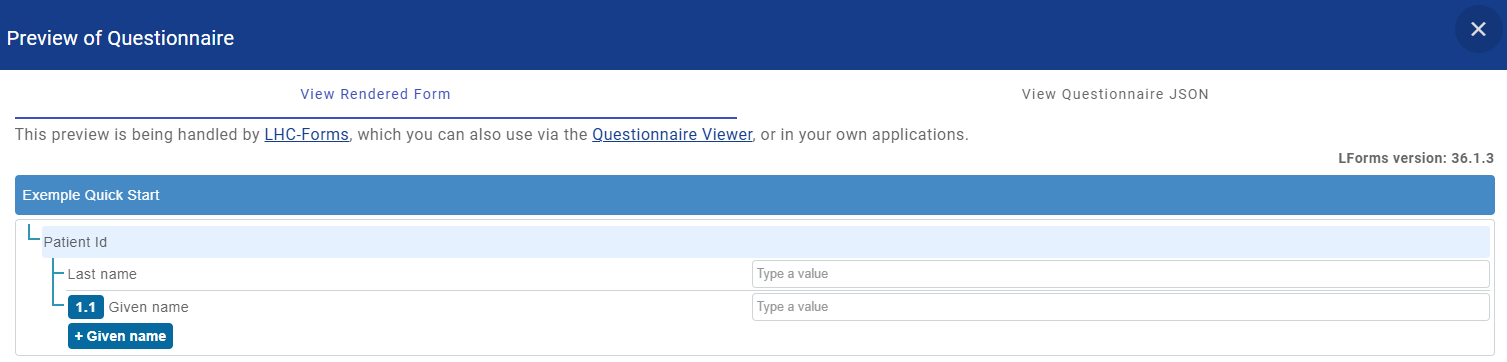
You may preview your form using this button: (on the top left of the screen).
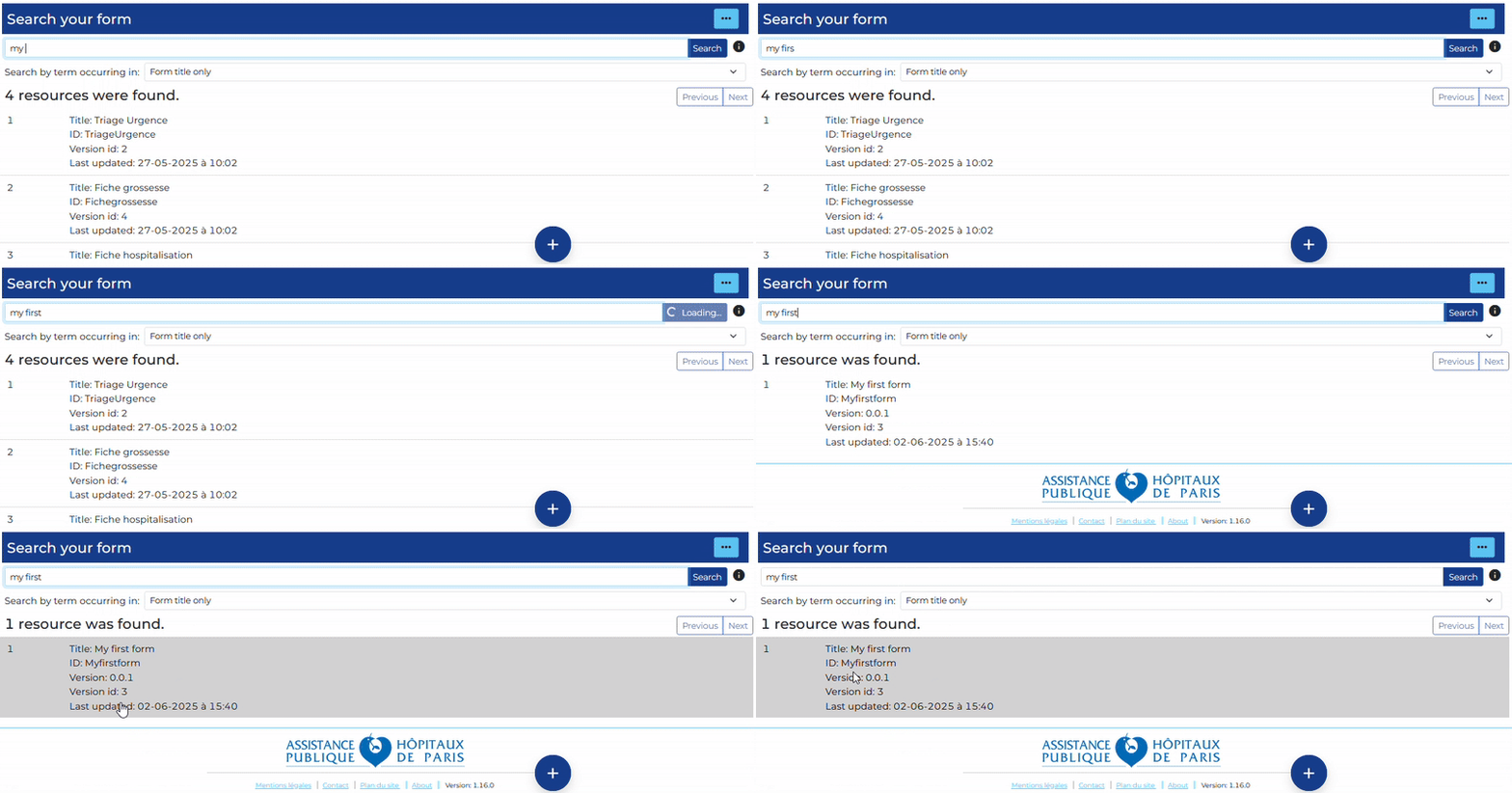
You can find your form using the search engine, e.g. by its title:
The created FHIR Questionnaire can be published in a FHIR Implementation Guide for diffusion:
IG © 2023+ AP-HP. Package aphp.fhir.fr.formbuilder#1.0.0 based on FHIR 4.0.1. Generated 2025-09-16
Links: Table of Contents |
QA Report
| 